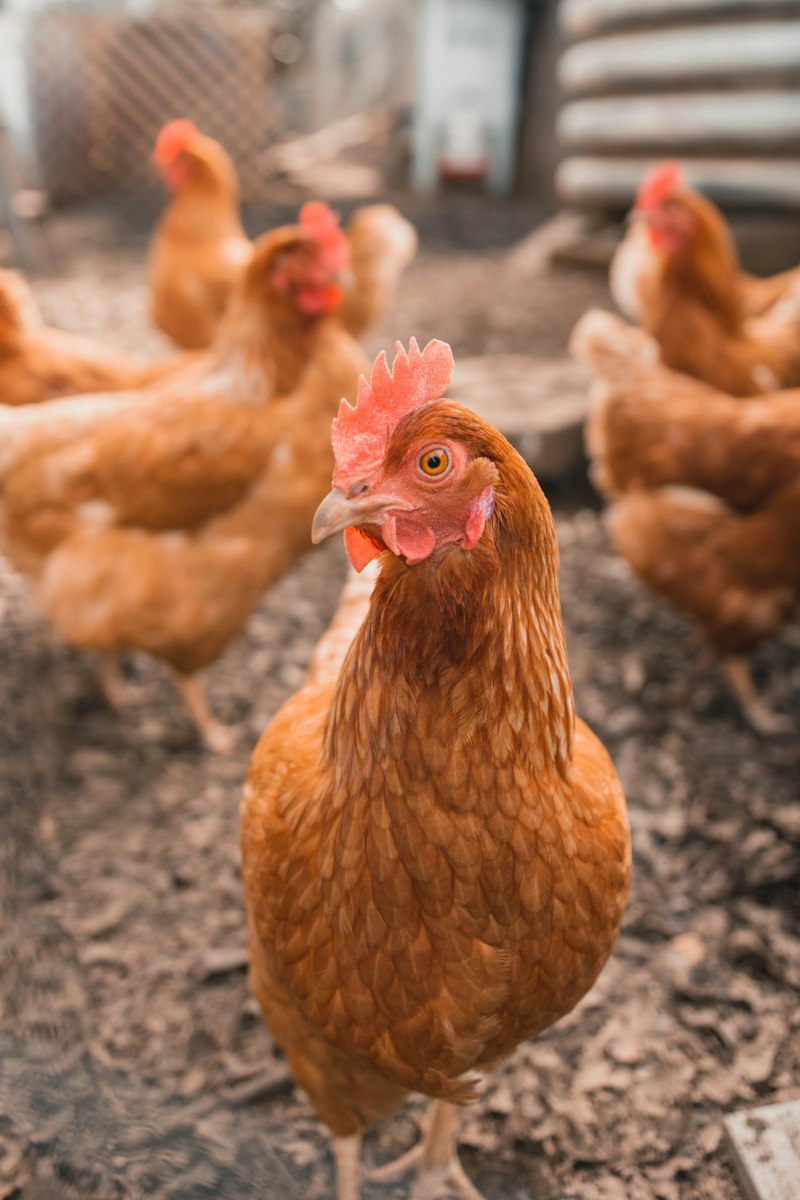
Learn step by step how to configure the Day Old Chick (DOC) and feed purchasing module in your poultry farm's ERP system. This article covers technical details, implementation examples, and best practices for optimizing an efficient and accurate procurement process.
Management of purchasing Day Old Chick (DOC) and feed is the backbone of efficient farm operations. Without an integrated system, the risk of ordering errors, delivery delays, and cost waste can increase drastically. Imagine a scenario where your farm needs 10,000 DOC every month and 50 tons of feed with a specific formulation. If the procurement process still relies on manual recording or separate spreadsheets, tracking stock, negotiating prices with various suppliers, and reconciling payments will become a nightmare. An Enterprise Resource Planning (ERP) system is present as a crucial solution to overcome this complexity, offering full visibility and control over the entire purchasing cycle. This article will guide you in depth through the configuration of the DOC and feed purchasing module in an ERP environment, from understanding basic concepts to technical implementation with concrete examples, including best practices and handling potential issues. We will focus on how you can optimize every stage, ensuring the availability of supplies that are timely and in accordance with quality standards.
The purchasing module in an ERP system functions as the control center for all procurement activities, from identifying needs to payment to suppliers. For the livestock industry, the focus is on two vital commodities: Day Old Chick (DOC) and feed. Proper configuration ensures that every purchase is made strategically, efficiently, and in accordance with operational needs. Modern ERP systems, such as those built with frameworks like Laravel 11.x for the backend and Vue.js for the frontend, enable seamless data integration between departments, from production, warehouse, to finance.
The main components that must be understood are Supplier Master Data (Vendor Master) and Item Master Data (Item Master). In the Supplier Master Data, detailed information such as company name, address, contact, payment terms, as well as the history of delivery and quality performance need to be recorded. For DOC, it is important to add attributes such as hatchery certification (for example, certification free from certain diseases or bio-security standards) and daily production capacity. Meanwhile, for feed, information related to feed mill certification (for example GMP+ or ISO 22000) and production capacity becomes crucial. Managing this data in PostgreSQL 16 ensures high data integrity and availability.
Furthermore, the Item Master for DOC and feed requires very specific attributes. For DOC, we need to record: strain type (for example Cobb 500, Ross 308), average weight at delivery (for example 40-42 grams/bird), initial vaccination status, and production batch information. Each DOC batch has unique characteristics that affect growth performance. For feed, the attributes that must be recorded include: feed name (example: Starter Feed BR-1), nutritional formulation (protein, fat, fiber, ME content), form (mash, crumble, pellet), production date, expiration date, and optimal storage conditions. Integration with the inventory module is very important to track real-time stock, set reorder points, and manage safety stock so that there is no shortage or excess of feed.
The purchasing process generally begins with a Purchase Requisition (PR) from the production or warehouse department, which is then converted into a Purchase Order (PO) after obtaining approval. This PO is sent to the supplier that has been selected based on certain criteria, such as price, quality, and delivery time. After the goods (DOC or feed) are received, a Goods Receipt (GR) process is carried out which records the quantity, condition, and conformity with the PO. The final stage is verification of the Purchase Invoice (Invoice Verification) from the supplier and the payment process through integration with the finance module. Concrete example: the production department submits a PR for 5,000 DOC of the Ross 308 strain and 20 tons of Grower Feed G-201. This PR is then verified by the procurement manager before the PO is issued to supplier A and supplier B.
Thus, the purchasing module is not merely recording transactions, but also provides tools for analyzing supplier performance, price comparison, and cost optimization. Historical purchasing data, including the average price per kilogram of feed or per DOC from various suppliers, becomes an important basis for contract negotiations in the future. The use of a system like this allows farms to respond to market fluctuations more quickly and make purchasing decisions supported by accurate data, reducing the risk of losses and increasing overall profitability. The availability of this centralized data also facilitates audits and regular reporting to management.
The implementation of the DOC and feed purchasing module in ERP requires a systematic approach, starting from designing the database schema to configuring the workflow. For the backend, we recommend using Laravel 11.x as the main framework, combined with PostgreSQL 16 as a reliable and scalable relational database. This architecture provides high flexibility for adjusting to the specific needs of the farm.
At the database level, several core tables that need to be designed include: vendors (for supplier data), items (for DOC and feed), purchase_requisitions, purchase_orders, goods_receipts, and invoices. The items table must have specific columns such as item_type (e.g., 'DOC' or 'FEED'), strain (for DOC), formulation (for feed), unit_of_measure, reorder_point, and safety_stock. It is also important to create relation tables such as vendor_item_prices to record historical prices per item from each supplier, which will be very useful in the automatic or semi-automatic supplier selection process. The use of the JSONB feature in PostgreSQL 16 can be utilized to store dynamic attributes such as feed nutritional specifications or DOC vaccination details.
Configuring the approval workflow is one of the crucial aspects. Every Purchase Requisition (PR) and Purchase Order (PO) must go through a series of approvals tailored to the organizational hierarchy and transaction value. For example, a PR below IDR 5 million might only require one level of approval from the warehouse manager, while a PO above IDR 50 million might require approval from the operations director and finance director. Laravel provides a powerful notification feature, enabling the sending of emails or in-app notifications to authorized parties for approval. Integration with a document management system (DMS) can also be added to store digital copies of supplier quotations or purchase contracts.
The system must be able to manage multi-units. DOC is measured per head, while feed is measured per kilogram or per sack. Configuration in the Item Master must support automatic conversion of these units. For example, if the feed price is recorded per kg, but the purchase is made per sack (50 kg), the system must be able to calculate the total cost correctly. Additionally, integration with the inventory module is mandatory. When the Goods Receipt (GR) process is completed, the stock of DOC or feed in the warehouse must be updated in real-time. If the stock reaches the reorder point, the system must automatically trigger a notification or even create a draft PR. To ensure inventory data accuracy, implementing a barcode scanning feature using Zebra Technologies MC3300x during GR is highly recommended.
Finally, integration with the financial module is the determinant of success. After the supplier invoice is verified and approved, the system must automatically create relevant accounting journal entries, such as debiting the inventory account and crediting the accounts payable account. This module must also be able to track payment status, due dates, and payment history to each supplier. For accurate financial reporting, ensure that the GL (General Ledger) account schema is well-defined and connected to each type of purchase transaction. For example, DOC purchases will go to the DOC Inventory account, while feed goes to the Feed Inventory account. This ensures that the income statement and balance sheet always reflect the current financial condition.
This section will present concrete code examples to help you understand the database structure and business logic involved in the purchasing module. We will use Laravel 11.x syntax for database migrations and controller logic examples. This code is designed to be directly runnable in a Laravel environment.
First, let's look at how to define the purchase_orders and purchase_order_items tables in a Laravel migration. These tables will store detailed information about each purchase order, including references to suppliers, dates, status, and ordered items. Note the use of relevant data types and foreign keys to maintain data integrity with the existing vendors and items tables.
<?phpuse Illuminate\Database\Migrations\Migration;use Illuminate\Database\Schema\Blueprint;use Illuminate\Support\Facades\Schema;return new class extends Migration{ /** * Run the migrations. */ public function up(): void { Schema::create('purchase_orders', function (Blueprint $table) { $table->id(); $table->string('po_number')->unique(); $table->foreignId('vendor_id')->constrained('vendors'); $table->date('order_date'); $table->date('delivery_date')->nullable(); $table->string('status')->default('pending'); // pending, approved, received, cancelled $table->text('notes')->nullable(); $table->decimal('total_amount', 15, 2)->default(0); $table->foreignId('created_by')->constrained('users'); $table->timestamps(); }); Schema::create('purchase_order_items', function (Blueprint $table) { $table->id(); $table->foreignId('purchase_order_id')->constrained('purchase_orders')->onDelete('cascade'); $table->foreignId('item_id')->constrained('items'); // Could be DOC or Feed $table->string('item_type'); // 'DOC' or 'FEED' $table->string('strain_or_formulation')->nullable(); // e.g., 'Cobb 500' or 'BR-1 Starter' $table->decimal('quantity', 15, 2); $table->string('unit_of_measure'); // e.g., 'ekor', 'kg', 'karung' $table->decimal('unit_price', 15, 2); $table->decimal('subtotal', 15, 2); $table->timestamps(); }); } /** * Reverse the migrations. */ public function down(): void { Schema::dropIfExists('purchase_order_items'); Schema::dropIfExists('purchase_orders'); }};The migration above creates two important tables. The purchase_orders table stores the PO header details, such as the PO number, vendor, date, and status. The purchase_order_items table is a detail table that stores each item ordered in that PO, including quantity, price per unit, and subtotal. The item_type and strain_or_formulation columns are very important for distinguishing between DOC and various types of feed, allowing flexibility in item management. The onDelete('cascade') relation on purchase_order_id ensures that related items will be automatically deleted if the main PO is deleted.
Next, let's look at a simple example of a method in a Laravel Controller responsible for creating a new Purchase Order. This method will receive data from the request, validate the input, and then save the PO along with its items to the database. It is important to ensure strict input validation to prevent invalid data from entering the system.
<?phpnamespace App\Http\Controllers;use App\Models\PurchaseOrder;use App\Models\PurchaseOrderItem;use Illuminate\Http\Request;use Illuminate\Support\Facades\DB;use Illuminate\Support\Facades\Auth;class PurchaseOrderController extends Controller{ public function store(Request $request) { $request->validate([ 'vendor_id' => 'required|exists:vendors,id', 'order_date' => 'required|date', 'delivery_date' => 'nullable|date|after_or_equal:order_date', 'notes' => 'nullable|string', 'items' => 'required|array|min:1', 'items.*.item_id' => 'required|exists:items,id', 'items.*.item_type' => 'required|in:DOC,FEED', 'items.*.strain_or_formulation' => 'nullable|string', 'items.*.quantity' => 'required|numeric|min:0.01', 'items.*.unit_of_measure' => 'required|string', 'items.*.unit_price' => 'required|numeric|min:0', ]); try { DB::beginTransaction(); $poNumber = 'PO-' . date('Ymd') . '-' . str_pad(PurchaseOrder::count() + 1, 4, '0', STR_PAD_LEFT); $purchaseOrder = PurchaseOrder::create([ 'po_number' => $poNumber, 'vendor_id' => $request->vendor_id, 'order_date' => $request->order_date, 'delivery_date' => $request->delivery_date, 'status' => 'pending', 'notes' => $request->notes, 'created_by' => Auth::id(), 'total_amount' => 0, // Will be calculated from items ]); $totalAmount = 0; foreach ($request->items as $itemData) { $subtotal = $itemData['quantity'] * $itemData['unit_price']; PurchaseOrderItem::create([ 'purchase_order_id' => $purchaseOrder->id, 'item_id' => $itemData['item_id'], 'item_type' => $itemData['item_type'], 'strain_or_formulation' => $itemData['strain_or_formulation'], 'quantity' => $itemData['quantity'], 'unit_of_measure' => $itemData['unit_of_measure'], 'unit_price' => $itemData['unit_price'], 'subtotal' => $subtotal, ]); $totalAmount += $subtotal; } $purchaseOrder->update(['total_amount' => $totalAmount]); DB::commit(); return response()->json(['message' => 'Purchase Order created successfully', 'po' => $purchaseOrder], 201); } catch (\Exception $e) { DB::rollBack(); return response()->json(['message' => 'Failed to create Purchase Order', 'error' => $e->getMessage()], 500); } }}This store controller code shows how to receive PO data via an HTTP POST request. Input validation using Laravel's built-in validation ensures that all required data is present and in the correct format. Database transactions (DB::beginTransaction() and DB::commit()) are used to ensure that the entire operation of saving the PO and its items runs atomically; if there is a failure along the way, all changes will be rolled back (DB::rollBack()). The PO number is generated dynamically, and the total PO amount is calculated from the subtotal of each item. This is a strong foundation for building more complex purchasing functionality.
In a modern ERP ecosystem, integration with external systems, such as supplier systems or e-procurement platforms, is very important. Communication between systems is often done via APIs with JSON-formatted payloads. Understanding the payload structure and how to handle potential errors is key to ensuring smooth operations.
The following is an example of a realistic JSON payload that might be used to create or update a Purchase Order via API. This payload reflects the data structure we discussed in the previous database migration, ensuring data consistency between the frontend, backend, and external systems.
{ "vendor_id": 101, "order_date": "2023-10-27", "delivery_date": "2023-11-10", "notes": "Prioritize DOC with active ND-IB vaccination.", "items": [ { "item_id": 205, "item_type": "DOC", "strain_or_formulation": "Cobb 500", "quantity": 5000, "unit_of_measure": "heads", "unit_price": 7500 }, { "item_id": 312, "item_type": "FEED", "strain_or_formulation": "Starter Feed BR-1", "quantity": 10000, "unit_of_measure": "kg", "unit_price": 6200 }, { "item_id": 315, "item_type": "FEED", "strain_or_formulation": "Grower Feed G-201", "quantity": 15000, "unit_of_measure": "kg", "unit_price": 5800 } ]}The payload above sends all the information needed to create a new PO, including vendor details, dates, notes, and the list of items ordered. This structure allows the backend system to process the data in batch and create entries in the purchase_orders and purchase_order_items tables efficiently. It is important to document this API well using standards such as OpenAPI Specification (Swagger) 3.0, so that external developers can easily understand how to interact with your API.
However, in every integration process, the potential for errors always exists. One example of an error that often occurs is input validation failure. The following is an example of an error message that might be received if there is invalid data in the JSON payload sent to the API:
{ "message": "The given data was invalid.", "errors": { "items.0.quantity": [ "The items.0.quantity field must be at least 0.01." ], "items.1.unit_price": [ "The items.1.unit_price field must be at least 0." ], "vendor_id": [ "The selected vendor id is invalid." ] }}This error message indicates that the quantity of the first item (index 0) is less than 0.01, the unit price of the second item (index 1) is less than 0, and the selected vendor_id does not exist in the database. Effective error handling means that the system calling the API must be able to interpret this message and provide informative feedback to the user or logs for further analysis. On the backend side, using the Laravel Validator as shown in the previous controller code is very helpful in producing these descriptive error messages.
A good error handling strategy includes: logging all transactions and errors to a centralized system (for example, using Sentry.io or the ELK Stack), implementing retry mechanisms for temporary errors (for example, a dropped database connection), and using circuit breaker patterns to prevent cascading failure when an external system is unresponsive. In addition, ensure that every API response includes the appropriate HTTP status code (for example, 201 Created, 200 OK, 400 Bad Request, 401 Unauthorized, 404 Not Found, 500 Internal Server Error) to make it easier for the client system to identify the type of problem. For critical errors that require manual intervention, the system should send emergency notifications to the operations team via email or SMS.
To ensure that your purchasing module functions optimally and provides maximum value for farm operations, there are several best practices that must be applied consistently:
Configuring the DOC and feed purchasing module in ERP is not merely a technical task, but a strategic investment for the future of your farm. With proper implementation, you will experience significant improvements in operational efficiency, data accuracy, and better decision-making capability. From master data standardization to workflow automation and integration with other modules, every step discussed in this guide aims to create a robust and responsive procurement system. Do not let manual processes hinder your business growth potential. If you face challenges in implementing or optimizing a farm ERP system, or need a custom solution designed specifically for your unique needs, our team is ready to help. Contact Nugroho Setiawan for further consultation and realize your farm's operational efficiency now!
Belum ada komentar. Jadilah yang pertama!
Baca juga artikel lainnya