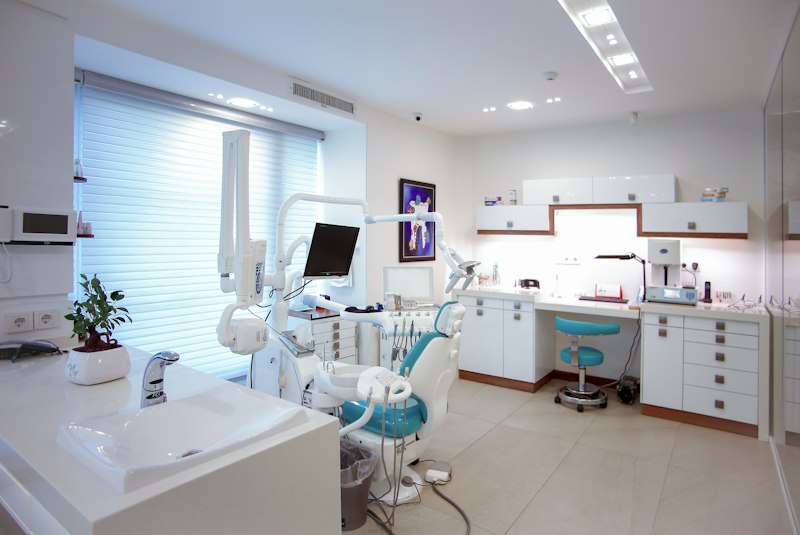
Boost your clinic and pharmacy's digital visibility. This article guides you step by step through creating, verifying, and optimizing a Google Business Profile to attract more local patients and customers.
In today's digital era, having an online presence is no longer an option, but an absolute necessity for every business, including healthcare facilities such as clinics and pharmacies. Many clinics and pharmacies still face serious challenges in attracting new patients and retaining existing ones due to a lack of visibility in search engines. Modern patients, especially millennials and Gen Z, tend to search for information about nearby healthcare services through Google Maps or Google Search before deciding to visit. Without an optimized business profile, your facility is at high risk of being overlooked, even though you may offer the best services. Data shows that 46% of all Google searches have local intent, and 76% of people who conduct a local search visit a business within 24 hours. This means that if your clinic or pharmacy does not appear in local search results, you are missing out on a huge opportunity. This article will guide you in depth, practically, and actionably on how to create, verify, and optimize a Google Business Profile (GBP) specifically for your clinic and pharmacy. We will cover every detail, from basic concepts to advanced optimization strategies, complete with concrete examples and handling of common issues, so that your healthcare facility can compete effectively in the digital realm.
Google Business Profile (formerly Google My Business) is a free tool from Google that allows you to manage how your business appears in Google Search and Google Maps. For clinics and pharmacies, GBP is an invaluable digital asset. It is not just a listing of name and address, but a mini ecosystem that displays crucial information, enables direct interaction with patients, and builds credibility. Imagine a patient in Central Jakarta suddenly needing the nearest pharmacy in the middle of the night. They will open Google Maps, type "24-hour pharmacy Central Jakarta," and choose from the list that appears. If your pharmacy is not listed or its information is inaccurate, you immediately lose that opportunity.
The main benefits of having an optimized GBP for healthcare facilities are numerous. First, increased local visibility. GBP ensures that your clinic or pharmacy appears in local search results and maps, often at the top or in the highly strategic 'Local Pack.' Second, easy access to information. Patients can quickly find the address, phone number, operating hours, website, and even travel routes to your location. Third, building trust through reviews. Patient reviews are a key determining factor. GBP provides a platform for patients to share their experiences, and your response to those reviews greatly influences the image and public trust in your facility. A study by BrightLocal shows that 98% of consumers read online reviews for local businesses, and 87% of them use Google to evaluate local businesses.
Fourth, direct interaction with patients. The messaging feature allows patients to ask questions directly, and you can provide quick responses. Fifth, performance analysis. GBP provides insights into how patients find your profile, how many call, request directions, or visit your website. This is valuable data for your marketing strategy. For example, a 'Healthy Dental Clinic' in Surabaya that optimizes its GBP with photos of a modern interior, a complete list of services (teeth cleaning, braces, implants), and regularly responds to reviews will attract far more attention from potential patients than other clinics that only have a name and address. By focusing on these details, you not only increase reach but also solidify your healthcare facility's reputation in the public eye.
It is important to remember that GBP is an integral part of a broader digital strategy. As practitioners experienced with SIMRS, SIM Klinik, and system integrations such as BPJS/SatuSehat/FHIR, we understand that consistent data in GBP must align with information in your internal systems. For example, the operating hours listed in GBP must exactly match the operating hours recorded in your patient queue system or in the contact information on your clinic's website. Data inconsistency can confuse patients and damage credibility. Therefore, GBP management must be part of integrated operational management, not merely a standalone marketing task.
Creating a Google Business Profile for your clinic or pharmacy is a relatively easy process, but it requires careful attention to ensure all information is accurate and optimized. The first step is to access Google Business Profile Manager through your Google account. Visit business.google.com/create. Make sure you use the Google account that will be the owner or primary manager of this business profile. It is best to use a professional email account associated with your healthcare facility.
After signing in, you will be asked to enter your Business Name. Use the official name of your clinic or pharmacy, such as "Klinik Medika Utama" or "Apotek K-24 Sudirman Branch". Avoid adding excessive keywords to the name, as this violates Google's guidelines and can lead to suspension. Next, choose the most relevant Business Category. This is a crucial step. For a clinic, choose "Medical Clinic", "Puskesmas", "General Practitioner", "Health Center", or a more specific category such as "Dental Clinic" if that is your main focus. For a pharmacy, choose "Pharmacy" or "Drugstore". The latest version of Google Business Profile Manager (as of Q2 2024) offers hundreds of categories, so make sure you choose the most accurate one. You can add several secondary categories after the profile is created.
Continue by entering the Physical Address of your facility. Make sure this address is exactly the same as the one recorded in your legal documents and on your website. If you are a clinic or pharmacy that serves patients at a physical location, you must have a physical address. If you also serve certain areas outside the physical location (for example, doctor home visit services), you can specify a Service Area. Enter the main phone number and website address (if any). Make sure the phone number works and the website is active and informative. Next, specify the Operating Hours. This is very important for healthcare facilities. Specify the opening and closing hours for each business day, and don't forget to add special hours for national holidays or emergency hours if any. For example, Apotek Sehat Selalu might be open 24 hours, while Klinik Harapan Jaya is open from 08:00 to 20:00.
After filling in the basic details, you will enter the Verification stage. Google requires verification to ensure that you are the legitimate owner of the business. The most common verification method is via a postcard sent to your physical address, containing a verification code. This process can take 5-14 business days. Other methods may be available depending on location and business type, such as verification via phone, email, or video. For clinics and pharmacies, verification via postcard or video call is often the main option. Make sure you or the staff responsible are ready to receive the postcard or conduct a video call. Once the verification code is received, enter the code into your GBP account to activate the profile. Without verification, your profile will not be fully active and may not appear in search results. If verification fails, double-check your address and try again, or contact Google Business Profile support for further assistance. A successful verification process is the main gateway to optimal visibility for your healthcare facility.
After your profile is verified, the next step is to optimize it with rich and relevant information. This is the key to attracting the attention of potential patients and standing out among competitors. Start with the Business Description. Write an engaging and informative description, up to 750 characters. Use relevant keywords such as "general clinic Jakarta", "24-hour pharmacy", "specialist dentist", and include your main services. Example: "Klinik Utama Sehat Sentosa provides comprehensive health services ranging from general practitioner consultations, laboratory examinations, to immunization services. We are strategically located in the city center with a professional medical team and modern facilities."
Add high-quality Photos and Videos. This is one of the most visual factors influencing patient decisions. Upload exterior photos (from various angles), interior photos (waiting room, examination room, pharmacy area), photos of the medical team (in uniform), and medical equipment if relevant. Google recommends at least 3 exterior photos, 3 interior photos, and several product/service photos. The ideal resolution is 720x720 pixels. These photos help patients get a real picture of your facility before visiting. A study shows that businesses with photos on GBP get 42% more direction requests and 35% more clicks to their website.
Take advantage of the Services feature to specifically list all the services offered by your clinic or pharmacy. These can be "General Practitioner Consultation", "Complete Blood Test", "Child Immunization", "Prescription Filling", "Adult Vaccination", "Physiotherapy", "Pregnancy Ultrasound", and others. The more detailed, the better. You can also add prices if relevant, although in healthcare facilities it is often more advisable to list service descriptions only.
The Attributes feature is very important for healthcare facilities. These are special tags that tell patients about your specific facilities or offerings. Examples of relevant attributes:
{ "appointment_required": true, "wheelchair_accessible_entrance": true, "restroom": true, "telehealth_available": true, "accepts_new_patients": true, "gender_neutral_restroom": false, "languages_spoken": ["Indonesian", "English"], "payments": ["Cash", "Credit Card", "Debit Card", "BPJS"], "children_friendly": true}Make sure you fill in these attributes accurately. For example, if your clinic accepts BPJS, make sure the "BPJS" attribute is checked. If there is wheelchair access, check "Wheelchair Accessible". This helps patients with special needs find your facility more easily. Another example, for a pharmacy:
{ "curbside_pickup": true, "delivery": true, "drive_through": false, "online_appointments": false, "pharmacist_on_site": true, "medical_equipment_rental": false}Finally, use the Posts feature. This is similar to social media posts on your GBP. You can use it to announce promotions (vaccination discounts), latest news (a new specialist doctor joining), events (free health seminars), or important updates (changes in operating hours during national holidays). For example, a clinic could create a post like this:
<div class="google-post"> <h3>Flu Vaccination Promo!</h3> <p>Protect yourself and your family from seasonal flu! Get a 20% discount on influenza vaccination at Klinik Sehat Bersama during July 2024. Limited supply!</p> <img src="https://example.com/img/vaksin-flu.jpg" alt="Flu Vaccine" style="width:100%; max-width:400px;"> <p><strong>Date:</strong> July 1 - 31, 2024</p> <p><strong>Location:</strong> Klinik Sehat Bersama, Jl. Merdeka No. 10</p> <a href="https://www.kliniksehatbersama.com/promo-vaksin" target="_blank">Learn More ></a></div>This post will appear on your GBP profile and can attract the attention of potential patients looking for similar services. Consistency in managing all these features will significantly improve the ranking and appeal of your business profile on Google.
Having an optimized Google Business Profile is not enough without performance monitoring and the ability to handle issues that may arise. Google Business Profile provides a very valuable Insights feature. These Insights provide data on how patients interact with your profile. You can see: the number of searches (direct, discovery, branded), the number of profile views, the number of clicks to the website, direction requests, and phone calls. This data is crucial for evaluating the effectiveness of your strategy. For example, if you see a drastic increase in "direction requests", it means your optimization of location and address information has successfully attracted people to visit.
Here is an example representation of Insights data that you can expect, presented in JSON format to illustrate structured data:
{ "report_date": "2024-06-30", "location_id": "ch_123456789", "summary": { "total_views": 5200, "total_searches": 3100, "total_actions": 850 }, "metrics": { "search_views": { "direct": 1200, "discovery": 1800, "branded": 100 }, "map_views": { "total": 2100 }, "website_clicks": 250, "phone_calls": 320, "direction_requests": 280, "photo_views": { "customer": 1500, "owner": 700 } }, "queries": [ {"query": "klinik gigi terdekat", "count": 450}, {"query": "apotek 24 jam bandung", "count": 380}, {"query": "dokter anak jakarta selatan", "count": 210} ]}From the data above, you can see that "discovery searches" is the highest, which indicates that your profile appears for general searches that do not specifically mention your business name. This is a good indicator that your local SEO is working. The number of phone calls and direction requests is also high, indicating good conversion from profile views to actual actions.
However, in managing GBP, you may face some common issues. One of them is profile suspension. This can happen due to violations of Google guidelines, such as excessive use of keywords in the business name, inaccurate address, or suspicious activity. If your profile is suspended, you may see a message like this:
"Your Google Business Profile has been suspended due to a guidelines violation. Your profile will not be visible on Google Search and Maps."Handling: Don't panic. First, recheck all information on your profile and ensure there are no guideline violations. Remove excessive keywords from the name, ensure the address and operating hours are accurate. Second, appeal through the Google Business Profile recovery form. Explain your situation briefly and provide proof of business ownership (e.g., business license, photo of the nameplate). The appeal process can take several days to several weeks. Patience is key.
Another issue is negative reviews. Although not considered an "error" in a technical sense, negative reviews can damage reputation. Handling: Respond to every negative review professionally and empathetically. Acknowledge the issue, offer a solution, and invite the patient to continue the discussion privately (e.g., via phone or email) to resolve the issue further. Never argue or attack the reviewer back. Example response: "Thank you for your feedback. We are very sorry to hear about your unsatisfactory experience. We will follow up on this immediately. Please contact us at [phone number] so we can assist you further." Responding to reviews, both positive and negative, shows that you care about patients and are professional. Always encourage satisfied patients to leave reviews, as positive reviews can offset negative ones.
Q1: What is Google Business Profile (GBP) and why is it important for clinics/pharmacies?
A1: Google Business Profile is a free tool from Google that allows your business to appear and be managed on Google Search and Google Maps. For clinics and pharmacies, this is very important because it helps local patients find you easily, see important information such as operating hours and contact details, read reviews, and even get directions. It increases online visibility and builds patient trust, which is crucial for attracting new visits.
Q2: How long does it take to create and verify a GBP?
A2: The initial profile creation process is quite quick, and can be completed in 15-30 minutes. However, the verification stage can take longer. If using the postcard method, you may need to wait 5-14 business days for the postcard to arrive. Other methods such as phone or video verification can be faster, but their availability varies. Make sure all the information details you enter are correct and accurate to smooth this process.
Q3: Can I manage multiple clinic/pharmacy locations in one GBP account?
A3: Yes, of course. Google Business Profile is designed to manage one or multiple business locations. You can create a location group within your GBP account to manage all your clinic or pharmacy locations from one dashboard. This is very efficient for operations managers or IT teams responsible for many branches. Make sure each location has unique and accurate information.
Q4: How do I handle negative reviews on Google Business Profile?
A4: Respond to every negative review quickly, professionally, and empathetically. Acknowledge the patient's concern, offer an apology if necessary, and offer a solution or invite them to continue the discussion privately (for example, via phone or email) to resolve the issue. Never argue on a public platform. A wise response shows that you care about patients and are committed to quality service.
Q5: What are the main factors for my clinic/pharmacy's GBP to appear at the top of local search?
A5: There are several key factors. First, relevance: make sure your profile has an accurate category and a description rich in relevant keywords. Second, distance: Google will prioritize businesses close to the searcher's location. Third, prominence: this includes business reputation (number and quality of reviews), website authority, and overall online presence. Optimizing all these aspects will increase your chances of appearing at the top of the rankings.
Q6: Do I need to upload photos and videos to my GBP? How important is it?
A6: Uploading photos and videos is very important. Businesses with photos and videos on their GBP tend to get more clicks to their website and direction requests. Visuals help potential patients get a real picture of your facility, build trust, and make your profile more attractive. Make sure the photos and videos are high quality, relevant, and show various aspects of your clinic/pharmacy, such as the exterior, interior, medical team, and equipment.
Improving the digital visibility of your clinic and pharmacy through Google Business Profile is not a task that can be ignored. By following this in-depth guide, you now have a clear roadmap to create, verify, and optimize your business profile so it stands out on Google Search and Google Maps. Remember, GBP is a long-term investment that requires ongoing attention, from updating information to managing patient reviews. A strong online presence not only attracts new patients, but also strengthens the reputation and community trust in your healthcare facility. If you face challenges in integrating this digital strategy with your existing clinic or pharmacy management system, or need specialized technology solutions for your operations, our team at Nugroho Setiawan is ready to provide consultation and implementation. With our experience in SIMRS, SIM Klinik, BPJS/SatuSehat/FHIR integration, and website development, we can help you create an efficient and effective digital ecosystem. Don't let your potential patients be lost due to a lack of online visibility; start optimizing your GBP today and watch your healthcare facility grow.
Related solutions by PT Pilar Inovasi Informatika (Pilar Inovasi IT products): Clinic Management System BPJS & SatuSehat Integration. Need a free consultation?
Belum ada komentar. Jadilah yang pertama!
Baca juga artikel lainnya
